
Microsoft Teams Rooms: What Businesses Should Consider When Upgrading
Category: Meeting Room Technology
Focus keyphrase: Microsoft Teams Rooms installation
Suggested URL: /news/microsoft-teams-rooms-installation/
As hybrid working continues to shape the modern workplace, businesses need meeting spaces that allow people in the office and working remotely to collaborate effectively.
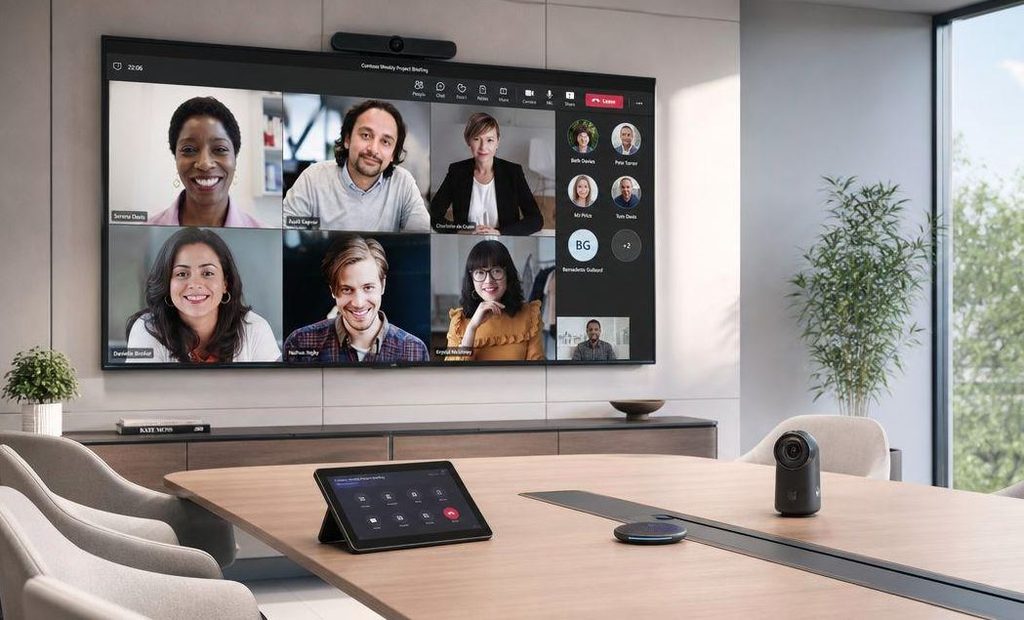
Microsoft Teams is widely used for business communication, and Microsoft Teams Rooms extends that experience into physical meeting rooms. With compatible equipment and the right configuration, employees can join meetings, share content and communicate with colleagues using a dedicated room system.
What is Microsoft Teams Rooms?
Microsoft Teams Rooms is a meeting room solution designed to bring the Teams meeting experience into a physical space.
Depending on the room and the equipment selected, a system may include a room console, camera, microphones, speakers and one or more displays.
The aim is to make meetings easier to start and manage, while providing remote participants with a more consistent experience.
Three things to consider before upgrading
1. Match the equipment to the room
A small meeting room may need a straightforward video bar and display, while a larger boardroom could require additional microphones, cameras or audio coverage.
Room layout, seating arrangements and the distance between participants and displays should all influence the design.
2. Make joining meetings straightforward
Meeting room technology should be intuitive for employees and visitors. Clear controls, appropriate system configuration and consistent room setups can help reduce delays at the beginning of meetings.
Businesses should also consider how employees will share presentations and connect their devices.
3. Plan for installation and ongoing support
Successful deployment involves more than mounting equipment and connecting cables. Systems need to be configured, tested and commissioned to ensure the components work together as intended.
Ongoing maintenance and technical support can also help businesses resolve issues and keep meeting spaces available for everyday use.
Why professional AV integration matters
A Teams Rooms deployment often involves several components working together, including displays, cameras, microphones, network connectivity and room control systems.
A coordinated approach helps businesses consider compatibility, usability and future requirements before installation begins.
It can also help minimise disruption when upgrading meeting rooms in an occupied office.
How Coral Vision supports workplace collaboration
Coral Vision works with businesses to deliver integrated meeting room technology, from planning and installation through to commissioning and ongoing support.
If you’re introducing Microsoft Teams Rooms across a new office or upgrading existing meeting spaces, careful planning can help create a more consistent experience for employees and guests.
Looking to improve your meeting rooms? Get in touch with Coral Vision to discuss your Teams Rooms requirements.
SEO title: Microsoft Teams Rooms Installation | Coral Vision
Meta description: Planning a Microsoft Teams Rooms installation? Discover key considerations for meeting room equipment, AV integration, commissioning and support.
Suggested image alt text: Microsoft Teams Rooms video conferencing system installed in a modern meeting room